Introduction
Learning how to swap crypto directly from your phone is one of the fastest ways to make the most of your digital assets. This trust wallet crypto swap guide walks you through everything from basic concepts to advanced tips, so you can move between tokens with confidence instead of guesswork.
Trust Wallet has built-in swap and DEX features, but it is only one part of the broader non-custodial swapping ecosystem. Many users combine Trust Wallet with external services that let them swap crypto instantly and privately while keeping full control of their keys. Knowing when to use which option is a key part of managing your portfolio effectively.
By the end of this guide, you will understand how swaps work, how to perform them safely inside Trust Wallet, what fees and risks to watch out for, and what alternatives exist when the in-app swap is not available or is too expensive.
Why Crypto Swaps in Trust Wallet Matter
Swapping inside a non-custodial wallet like Trust Wallet is about more than convenience. It directly affects your:
- Security posture by keeping you in control of your private keys
- Costs because different methods have different fees and gas requirements
- Speed and reliability when markets move quickly
- Privacy depending on whether you use centralized exchanges or non-custodial swaps
Trust Wallet sits at an important point in the crypto workflow. It is often where people:
- Receive crypto from exchanges
- Interact with DeFi protocols and NFTs
- Swap into stablecoins during volatility
- Move value across networks using bridges and cross-chain swaps
Knowing how to swap efficiently from inside your wallet can reduce friction, lower risk, and help you react faster to market conditions.
Core Benefits of Swapping Crypto in Trust Wallet
Before getting into the practical steps, it helps to understand why so many users rely on Trust Wallet for token swaps rather than always going back to a centralized exchange account.
1. Non-custodial control
Trust Wallet is non-custodial. That means:
- You hold your private keys and recovery phrase
- Funds are stored directly on the blockchain, not on a company’s balance sheet
- Swaps happen via smart contracts or connected DEXs, not through an internal order book
This greatly reduces counterparty risk compared to keeping funds on a centralized exchange. It also means you are responsible for secure storage of your seed phrase and for confirming each transaction carefully.
2. Convenience and speed
In-app swaps can be much faster than moving funds to an exchange, trading, and withdrawing again. With a few taps you can often:
- Move from one token to another in the same network (for example, from BNB to a BEP-20 token)
- Swap into stablecoins while markets are volatile
- Rebalance your portfolio without leaving your wallet
This is particularly useful for mobile-first users and for smaller, more frequent trades.
3. Access to DeFi and emerging tokens
Many newer tokens do not list quickly on centralized exchanges. They may appear first on decentralized exchanges like Uniswap, PancakeSwap, or other AMMs. Trust Wallet’s integrated DApp browser (where available) and direct DEX integrations let you:
- Connect to multiple DeFi platforms using WalletConnect
- Swap into tokens that are only listed on specific AMMs
- Stay closer to on-chain liquidity instead of relying only on centralized venues
4. Improved privacy compared to CEX accounts
On-chain activity is transparent, but you avoid connecting your identity to a centralized trading account when you use non-custodial tools. For users who want additional privacy, it is common to combine Trust Wallet with a private exchange style, non-custodial swap workflow rather than running every trade through KYC-based platforms.
Risks and Drawbacks of Swapping in Trust Wallet
Non-custodial swapping offers many advantages, but it is not risk free. Being aware of the tradeoffs helps you avoid costly mistakes.
1. Network fees and gas costs
Every on-chain swap requires a transaction on the underlying blockchain. You will need to pay:
- Gas fees in the native coin of the network (for example ETH for Ethereum, BNB for BNB Chain)
- Sometimes an additional protocol or routing fee depending on the DEX or aggregator used
During congestion, gas can become expensive, especially on Ethereum. Small swaps may become uneconomical if fees are a significant portion of your trade size.
2. Slippage and price impact
Most swaps in Trust Wallet route through AMM-based DEXs. Your trade affects the pool price in real time. Risks include:
- Slippage: the difference between your expected price and the price you actually receive
- Price impact: larger trades in smaller liquidity pools can move the market against you
You can set a maximum slippage tolerance, but if it is too high you may be vulnerable to front-running and sandwich attacks in very active markets.
3. Fake or malicious tokens
Any user can create a token on many chains, so you need to be careful what you swap into. Common issues include:
- Tokens that cannot be sold due to restrictive smart contracts
- Impersonator tokens with nearly identical names or symbols to popular projects
- Projects that can be upgraded or paused in a way that disadvantages holders
Always verify token contract addresses and only interact with trusted, audited protocols when possible.
4. Cross-chain complexity
Trust Wallet supports many chains, but not every token can be swapped directly on every network. When you need to move value across chains (for example, from Ethereum to BNB Chain) you may need:
- A bridge or cross-chain aggregator
- Multiple transactions, each with gas fees
- Extra care to avoid sending tokens to incompatible addresses
Cross-chain activity adds complexity and increases the chance of user error if you are not familiar with how networks differ.
Step-by-Step Trust Wallet Crypto Swap Guide
This section walks through a typical swap workflow using Trust Wallet. Interface details can change with updates, but the overall process remains similar.
Step 1: Install and secure Trust Wallet
- Download the official app from the Apple App Store or Google Play. Verify the publisher and app name to avoid fake apps.
- Create a new wallet or import an existing one with your recovery phrase.
- Back up your seed phrase offline. Write it down and store it securely. Never share it, and do not store it raw in email, screenshots, or cloud notes.
- Enable security features like biometric unlock and a strong device passcode.
Step 2: Fund your wallet and ensure gas availability
You need two things to make a swap:
- The token you want to swap out of (for example USDT)
- The native coin needed to pay network gas (for example ETH, BNB, MATIC)
To prepare:
- Receive funds by tapping the token in Trust Wallet, selecting “Receive,” and sharing or copying your address.
- Send crypto from your exchange or another wallet to this address. Double check the network.
- Top up gas by ensuring you have a small balance of the network’s native coin. Without it, your swap transaction will fail.
Step 3: Choose the right swap method
Trust Wallet typically offers two primary paths for swapping:
- Simple in-app swap for directly supported pairs
- DEX or DApp browser route for more complex or long-tail tokens
Depending on your region, Trust Wallet’s DApp browser might not appear by default, but you can still connect to decentralized exchanges using WalletConnect or browser integrations.
Step 4: Using the simple in-app swap (if available)
For many users and common tokens, the simple swap interface is enough:
- Open Trust Wallet.
- Tap the Swap or similar icon (the interface label can vary across versions).
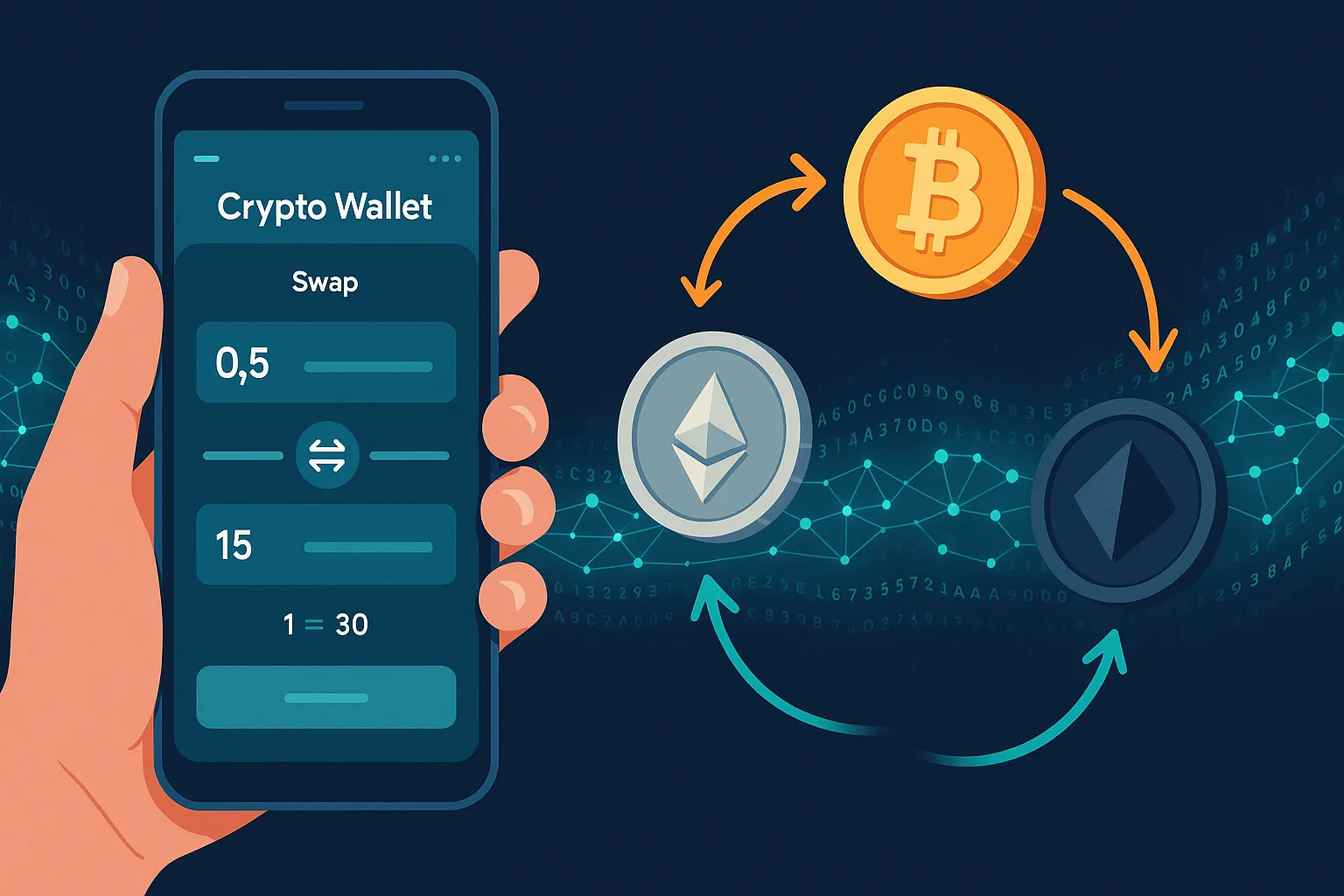
- Select the From token and enter the amount you want to swap.
- Select the To token you want to receive.
- Review the quote, including:
- Expected rate
- Network fees
- Estimated amount you will receive
- Adjust slippage tolerance if the option is available and needed.
- Tap Confirm and authorize the transaction.
Trust Wallet will submit an on-chain transaction that routes through a DEX or swapping service under the hood. You can monitor the status in the transaction history or through a block explorer.
Step 5: Swapping using a DEX through Trust Wallet
For tokens that are not covered by the built-in swap, you will typically:
- Open the DApp browser in Trust Wallet, or use WalletConnect to connect to a DEX such as:
- Uniswap (Ethereum and some L2s)
- PancakeSwap (BNB Chain)
- Other chain-specific AMMs
- Connect Trust Wallet as the active wallet when prompted.
- Select the From and To tokens in the DEX interface.
- Set the amount and adjust slippage based on liquidity and token volatility.
- Click Swap or Confirm in the DEX UI.
- Approve the transaction inside Trust Wallet when the confirmation window appears.
For ERC-20 and similar tokens, the first time you trade a token you may need to sign an “Approve” transaction so the DEX contract can spend that token on your behalf. This is separate from the swap itself and also requires gas.
Step 6: Confirm and verify your swap
After you confirm the transaction in Trust Wallet, wait for it to be mined. Then:
- Check your wallet balance for the received token
- If the token does not show up, try:
- Refreshing the wallet view
- Manually adding the token by contract address
- Tap the transaction in your history and view it on the relevant block explorer to verify the details
Always verify that the token contract you interacted with matches the one you intended to use.
Practical Tips for Safer and Cheaper Trust Wallet Swaps
The basic process is simple, but a few practical habits can save you a lot of money and trouble over time.
1. Start any new workflow with a small test swap
Whenever you:
- Use a new DEX
- Trade a new token contract
- Bridge or move funds across chains
Begin with a very small swap. Confirm that everything arrives as expected and can be swapped back if needed. Once you are confident, increase the size.
2. Watch gas prices and time your swaps
Gas fees often fluctuate based on network congestion. To optimize:
- Use gas trackers for the relevant chain (for example, Ethereum gas trackers) before committing
- Avoid peak times when activity is unusually high, such as during major NFT mints or news events
- Consider batching multiple portfolio moves into one session if you need to rebalance several positions
3. Manage slippage tolerance carefully
Slippage settings are crucial:
- Too low and your transaction may fail, wasting gas
- Too high and you risk a much worse execution price, especially on illiquid pairs
For very liquid pairs, a low slippage (for example 0.1 to 0.5 percent) is often enough. For volatile or low-liquidity tokens, you might need more, but treat this as a warning sign. Always ask whether the extra risk is worth it.
4. Double check token contracts, not just names
Impersonator tokens can look almost identical to the real thing. To protect yourself:
- Get the official contract address from a project’s verified channels or reputable aggregators
- Paste the contract into your DEX search, instead of relying on name searches only
- Verify the number of holders and on-chain activity for suspicious or very new tokens
5. Consider when external non-custodial swapping makes sense
There are situations where the best option is not an in-app swap or a single-chain DEX. For example:
- You want a non-custodial swap between assets that live on different chains
- In-app liquidity is poor, giving you a bad rate
- You want to keep your activity off centralized exchange order books
In those cases, it can be helpful to connect Trust Wallet to a specialized service that focuses on routing, privacy, and cross-chain options. Learning how to swap crypto instantly using a non-custodial, private exchange style workflow gives you more flexibility while still keeping control of your keys.
6. Keep software updated and stay aware of phishing risks
Security best practices are essential when your wallet can trigger on-chain swaps:
- Only download Trust Wallet from official app stores or trusted links
- Update regularly so you benefit from security fixes and new features
- Beware of fake support accounts or websites asking for your seed phrase
- Revoke token approvals periodically using reputable tools if you no longer use a DEX or protocol
Conclusion: Building a Safe, Flexible Swap Routine
Using Trust Wallet for crypto swaps lets you stay in control of your funds while accessing a wide range of tokens and DeFi opportunities. You have learned how non-custodial swapping works, what benefits it offers, which risks to watch, and how to execute a swap step by step inside the wallet and via connected DEXs.
As you refine your process, aim for a repeatable routine: verify contracts, start with small test trades, manage gas and slippage, and choose the right tool for each type of swap. In-app swaps are ideal for speed and simplicity, DEX integrations handle long-tail tokens, and specialized services can help you perform a trust wallet crypto swap guide style, non-custodial exchange when you want additional privacy or cross-chain flexibility.
By combining Trust Wallet’s core features with good operational habits and the right external tools, you can move between assets efficiently while keeping your security and autonomy at the center of your crypto strategy.
Ready to swap?
Convert your crypto instantly on GhostSwap, a no-KYC crypto exchange — no sign-up required.
Popular swaps: BTC to XMR BTC to ETH XMR to BTC ETH to XMR BTC to SOL