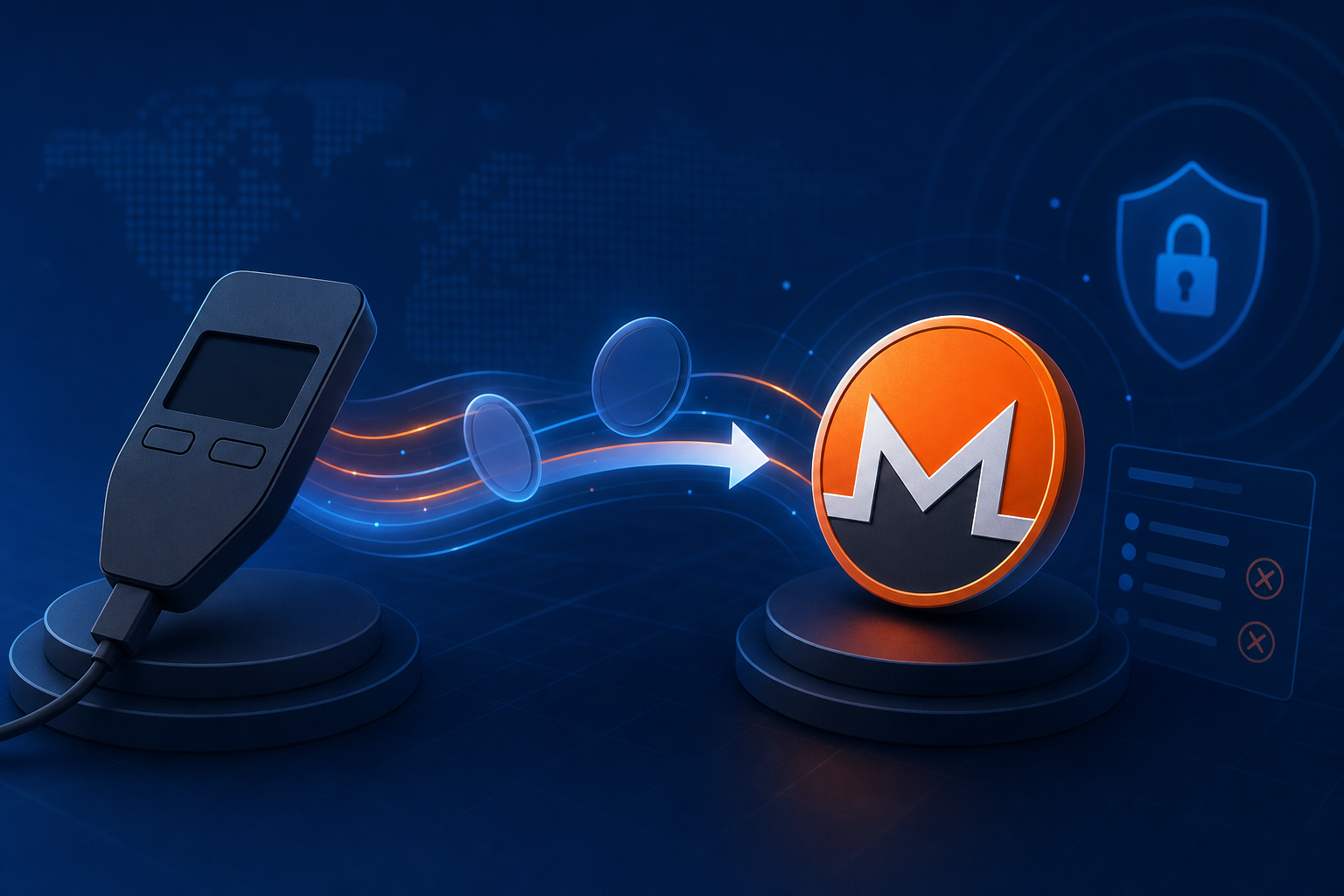
Trezor est un portefeuille matériel qui signe les transactions hors ligne, mais Monero ne figure pas parmi les cryptomonnaies prises en charge (consulté le 15 juin 2026). Pour transférer des fonds depuis une cryptomonnaie comme Bitcoin ou Litecoin détenue sur votre Trezor vers Monero (XMR), vous transférez ces cryptomonnaies depuis votre Trezor vers une plateforme d'échange non dépositaire, vous recevez les XMR sur un portefeuille Monero que vous contrôlez et votre Trezor reste le portefeuille d'origine hors ligne. Aucun compte, aucune adresse e-mail, aucune vérification d'identité n'est requise.
En résumé : vous ne pouvez pas stocker directement des XMR sur un Trezor, mais vous pouvez convertir des cryptomonnaies (BTC, LTC, ETH) détenues sur votre Trezor en Monero grâce à un service sans KYC et sans intermédiaire. Envoyez des XMR depuis votre Trezor et recevez-les dans un portefeuille Monero comme Cake ou Feather : aucun compte, aucune adresse e-mail, aucune vérification d'identité n'est requise.
Pourquoi vous ne pouvez pas stocker de Monero sur un Trezor
Un appareil Trezor signe les transactions pour les cryptomonnaies prises en charge par son firmware, et Monero ne figure pas parmi celles-ci. La conception de Monero, basée sur la confidentialité (adresses furtives et signatures de cercle), implique que son modèle comptable diffère des modèles UTXO et de comptes transparents gérés nativement par Trezor Suite. Par conséquent, Trezor Suite ne propose pas de compte XMR natif pour recevoir ou envoyer des Monero.
Cela ne vous empêche pas d'utiliser Monero. Cela change simplement le chemin. Votre Trezor reste l'origine sécurisée pour les cryptomonnaies que vous possédez déjà. L'échange convertit ces cryptomonnaies en XMR, et un portefeuille Monero dédié devient la destination. Cake Wallet (mobile), Feather (ordinateur) et Monerujo (Android) sont des portefeuilles Monero courants qui génèrent une adresse de réception XMR valide.
Il s'agit du même schéma que vous utiliseriez pour transférer une cryptomonnaie détenue sur un Ledger vers un portefeuille Feather : le portefeuille matériel contient l'actif source, un portefeuille séparé contient le Monero.
Comment passer de Trezor à Monero en 6 étapes
GhostSwap est une plateforme d'échange crypto-crypto sans vérification d'identité (KYC) et sans création de compte. Vous fournissez une adresse de réception Monero et une adresse de remboursement ; les fonds transitent sans intermédiaire et ne sont jamais détenus par GhostSwap. Voici le déroulement complet.
- Configurer un portefeuille Monero Installez Cake, Feather ou Monero et copiez son adresse de réception XMR. Les adresses Monero commencent par un
4et exécutez environ 95 caractères. C'est là que votre XMR échangé atterrit. - Choisissez la paire — Sur le Page de correspondance BTC/XMRChoisissez la cryptomonnaie que vous détenez sur votre Trezor comme cryptomonnaie d'entrée et Monero comme cryptomonnaie de sortie. GhostSwap prend en charge plus de 1 600 paires de devises réparties sur plus de 200 actifs.
- Saisissez vos adresses — Collez votre adresse de réception Monero comme destination. Ajoutez une adresse de remboursement que vous contrôlez sur le réseau de la cryptomonnaie utilisée, afin que les fonds puissent être retournés si l'échange échoue.
- Obtenez le devis à taux variable — Le cours affiché est basé sur un taux variable issu de la liquidité agrégée. Le taux variable correspond au prix au moment où vos fonds arrivent, et non au moment où vous cliquez — généralement dans la marge indiquée.
- Envoyer depuis votre Trezor Ouvrez Trezor Suite, sélectionnez la cryptomonnaie (par exemple BTC ou LTC) et envoyez le montant de l'échange à l'adresse de dépôt indiquée par GhostSwap. Trezor Suite gère automatiquement les entrées ; il vous suffit de confirmer sur votre appareil.
- Recevoir XMR Une fois votre dépôt validé sur la blockchain, le système convertit et transfère les Monero vers votre portefeuille. Le délai médian est d'environ 8 minutes ; le délai de traitement moyen est d'environ 30 minutes, en fonction de la congestion de la blockchain. Les fonds transitent sans intermédiaire et ne sont jamais détenus par GhostSwap.
Trezor + GhostSwap contre une plateforme d'échange centralisée
L'autre solution consiste à transférer vos Trezor vers une plateforme d'échange centralisée, à les échanger contre du Monero (XMR), puis à les retirer – si cette plateforme propose encore le Monero. Voici une comparaison des deux méthodes.
| Fonctionnalité | Trezor → GhostSwap → XMR | Trezor → plateforme d'échange centralisée → XMR |
|---|---|---|
| Compte / KYC | Aucun requis | Vérification du compte et de l'identité |
| Garde pendant l'échange | Passage sans garde | Exchange détient vos fonds |
| Modèle de taux | Liquidités agrégées à taux variable | Écart du carnet d'ordres ou de la bourse |
| Prise en charge de Monero | XMR est une sortie prise en charge | Cela dépend de la cotation de la bourse |
| Où atterrit XMR | Votre propre portefeuille Monero | Échangez votre compte, puis retirez-le. |
Le compromis est bien réel : avec un taux variable, le montant exact en XMR est fixé à la réception de votre dépôt, et non au moment où vous cliquez. Pour la plupart des swaps, la différence se situe dans le spread indiqué.
Comment l'utiliser
Votre Trezor reste la source de référence pour les cryptomonnaies que vous possédez déjà : vous signez l’envoi sortant directement sur l’appareil, vos clés n’en sortent donc jamais. L’interface d’échange se trouve sur le widget de la page d’accueil de GhostSwap , et la page de la paire BTC/XMR est le chemin le plus direct si vous utilisez Bitcoin. Indiquez l’adresse de remboursement avant d’envoyer les fonds ; c’est ce champ qui détermine la destination des fonds si l’échange échoue.
QFP
Q : Puis-je stocker du Monero sur un Trezor ?
R : Non. Comme indiqué précédemment, Trezor Suite ne prend pas en charge Monero. pièces prises en charge (consulté le 15 juin 2026), il n'existe donc pas de compte XMR natif pour stocker ou envoyer directement du Monero depuis un Trezor. Vous détenez une cryptomonnaie compatible sur votre Trezor et la transférez vers un portefeuille Monero externe comme Cake ou Feather.
Q : Ai-je besoin d'un compte pour passer de Trezor à Monero ?
R : Non. GhostSwap ne requiert ni compte, ni adresse e-mail, ni vérification d'identité pour effectuer des échanges. Vous fournissez simplement une adresse de réception Monero et une adresse de remboursement. Les fonds transitent sans intermédiaire et ne sont jamais détenus par GhostSwap.
Q : Combien de temps prend une conversion de Trezor en Monero ?
A : Le délai médian d'exécution est d'environ 8 minutes ; le p95 est d'environ 30 minutes. La principale variable est la rapidité avec laquelle le dépôt de votre cryptomonnaie est confirmé sur la blockchain, ce qui dépend de la congestion du réseau.
Q : Quelle pièce dois-je envoyer depuis mon Trezor ?
R : Toute cryptomonnaie compatible avec Trezor et acceptée par GhostSwap est acceptée ; Bitcoin et Litecoin sont des choix courants. GhostSwap prend en charge plus de 1 600 paires réparties sur plus de 200 actifs. Consultez la page des paires pour trouver la cryptomonnaie que vous souhaitez utiliser.
Des questions sur une paire spécifique ? Commencez par la page de la paire BTC/XMR ou le widget d’échange de la page d’accueil.